T: Auto Add to Cart Gift

Thank you so much for purchasing our T: Auto Add to Cart Gift App. This documentation will guide you through the setup and configuration process.

Need help? Contact our support team at info@techwebcreation.com.

App Features & Pricing


Installation

Follow these steps to activate the app on your Shopify store:

  1. Go to Online Store > Themes in your Shopify Admin.
  2. Click Customize on your current theme.
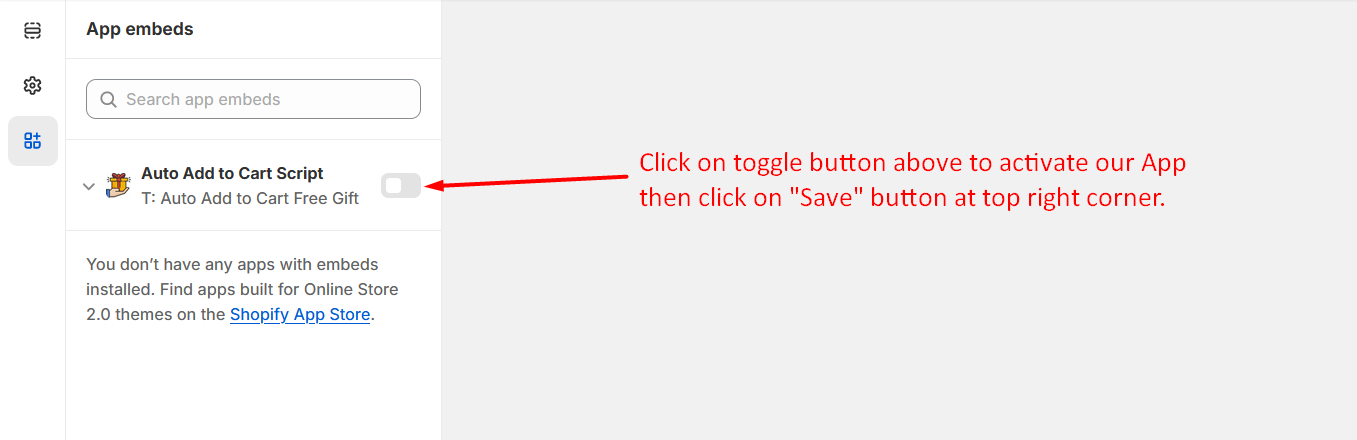
  3. Navigate to the App embeds section on the left sidebar.
  4. Enable the "Auto Add to Cart Script" toggle.
  5. Click Save at the top right corner.
Enable App Embed

Frontend View

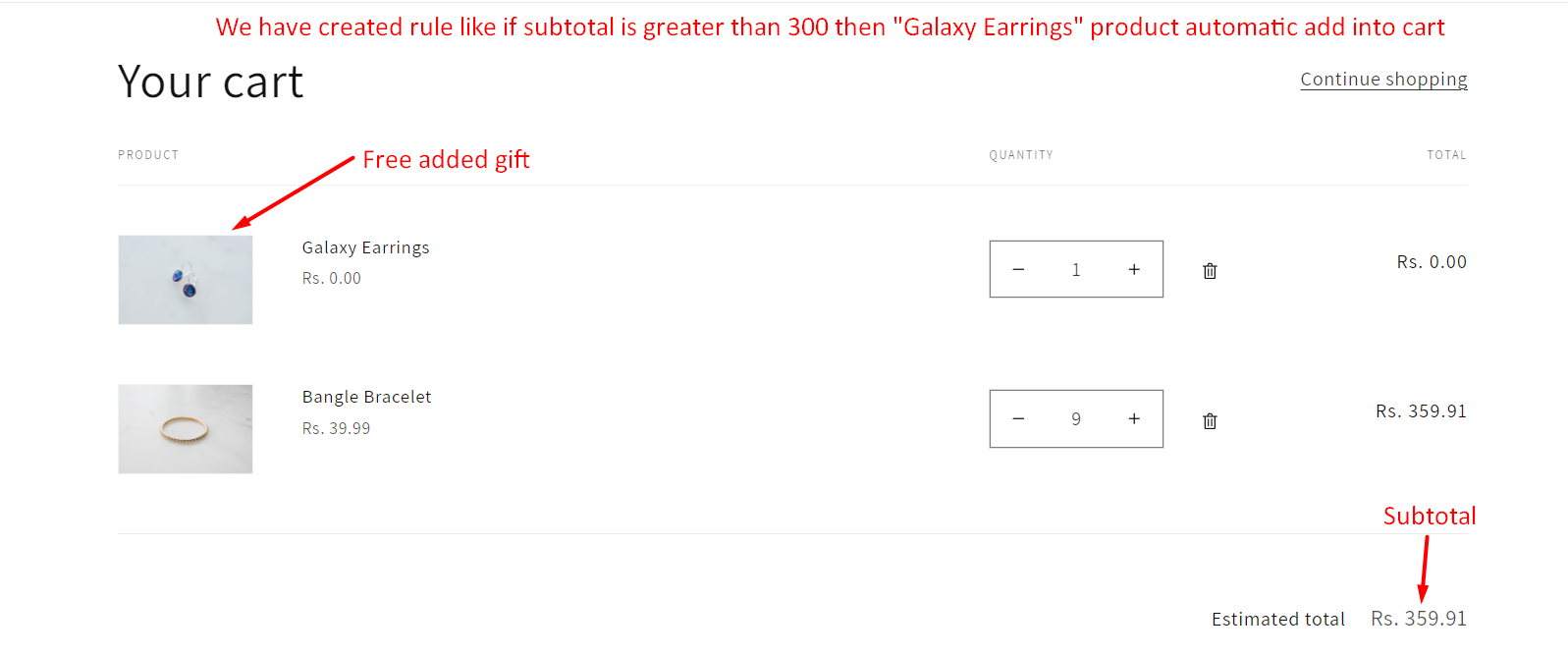
Cart Page

When a rule condition matches, the specified automatic product will be added into the cart.

Frontend View

Manage Rule

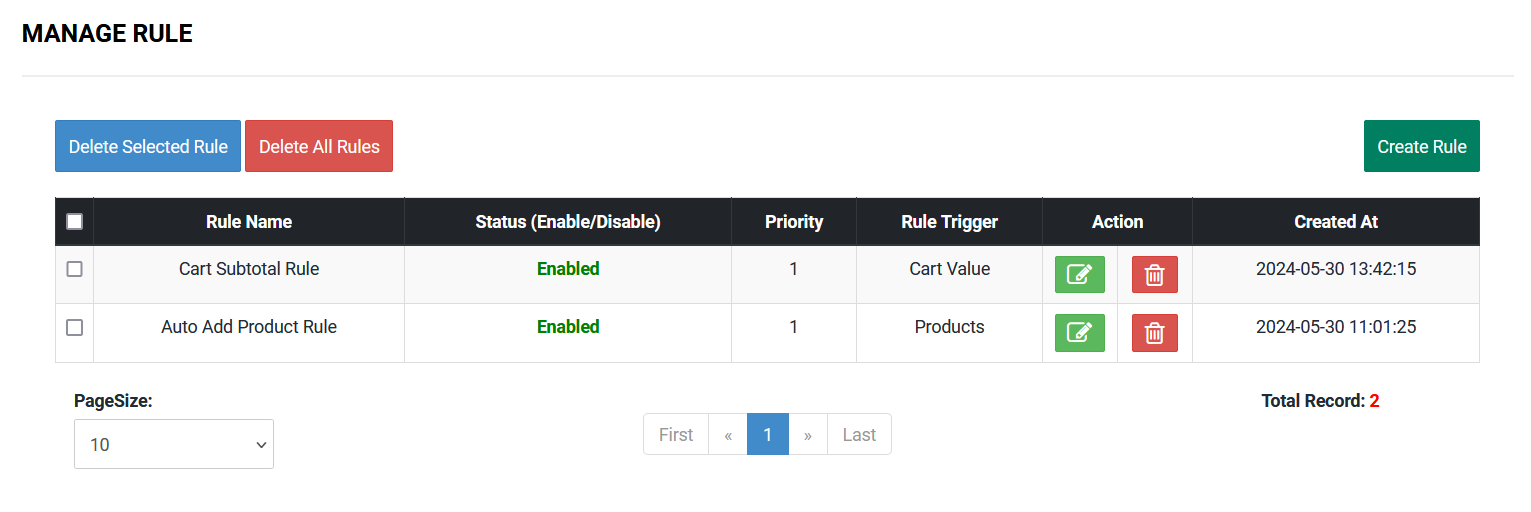
Easily manage all your gift rules from the app dashboard.

Manage Rules Dashboard

You have the ability to delete selected rules by clicking the Delete Selected Rule button, or delete all rules by clicking the Delete All Rules button. You can also edit any rule by clicking the Edit icon.

Create Rule

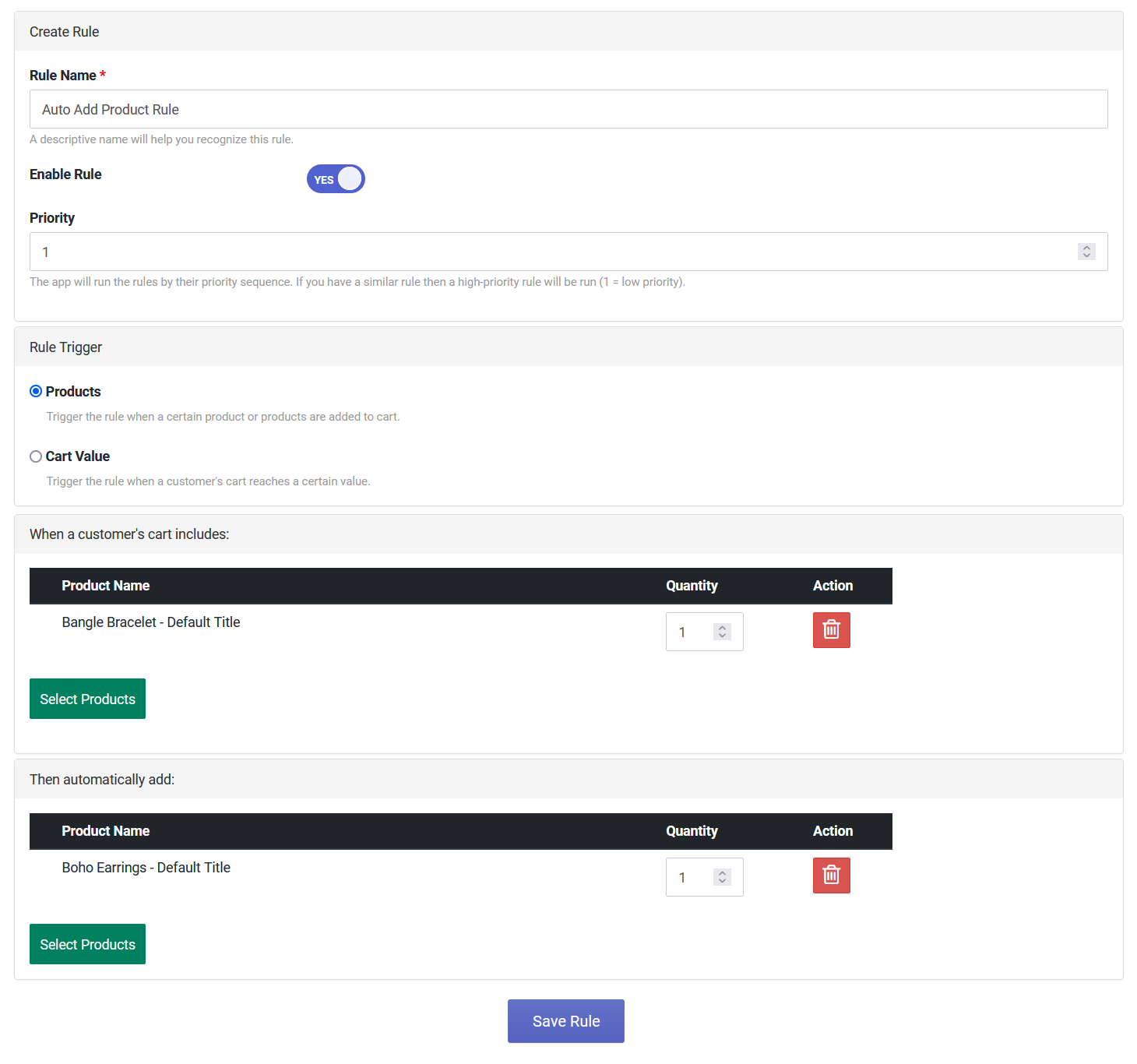
Click the Create Rule button to set up a new auto-add condition.

Create Rule Form

Frequently Asked Questions

Find quick answers to common questions about the T: Auto Add to Cart Gift App.

You can create a rule by going to the Manage Rule tab in the app dashboard and clicking the Create Rule button. You can set triggers based on specific products or a total cart value.

The app will run the rules based on their priority sequence. If you have similar rules, the one with the higher priority (e.g., 5 is higher than 1) will be executed.

Yes! Our app supports BOGO deals. You can configure a rule where buying a specific product automatically adds the gift/add-on product to the cart.

The app costs $1 USD per month, and we offer a 3-day free trial so you can try out all the features risk-free!


Contact Us

We are always here to help you. If you have any questions, face any issues, or need further assistance, please don't hesitate to reach out.